
I Rewrote Red Alert 2’s ddraw.dll (in Rust)
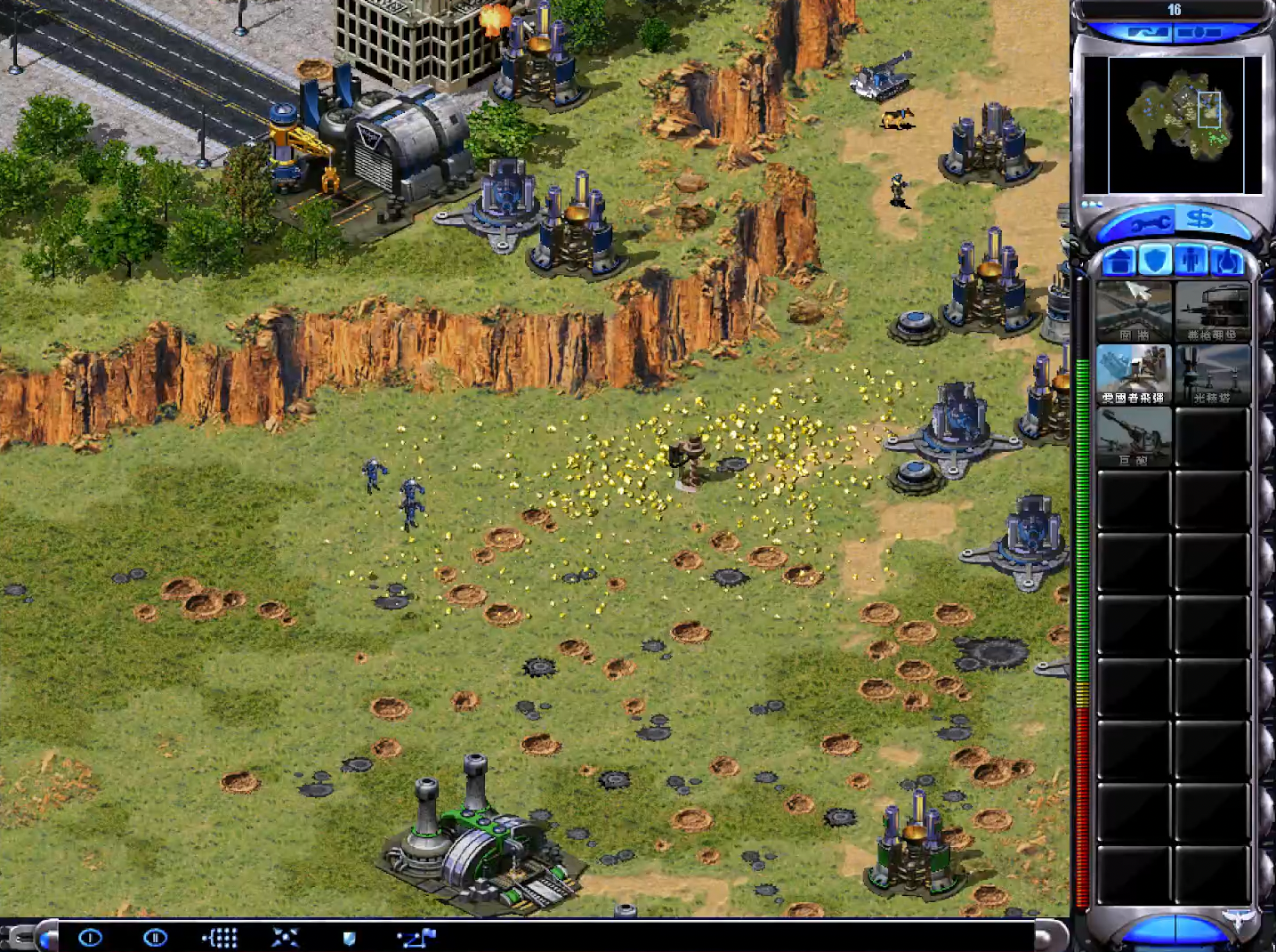
If you try to launch classic turn-of-the-millennium games like Command & Conquer: Red Alert 2, Command & Conquer, StarCraft, or Diablo II directly on Windows 10 or 11, there is a high chance they will crash right away. The classic fix for this is dropping a ddraw.dll maintained by FunkyFr3sh/cnc-ddraw into the game’s directory—an open-source reimplementation of Microsoft’s DirectDraw library.
What is ddraw (DirectDraw)?
DirectDraw originally shipped as part of the DirectX components on Windows 95. Back before 3D graphics cards became widespread, the vast majority of PC games were 2D. Drawing game frames directly through Windows’ standard window drawing interface (GDI) wasn’t well-suited for games that constantly needed to submit pixels in bulk, resulting in terrible performance. So Microsoft introduced DirectDraw, providing a set of APIs specifically designed for games to push pixels in bulk to video memory. It mainly consisted of three parts:
- Surface: By introducing buffers, games drew the map, units, and UI frame by frame onto canvases in system or video memory, then submitted the result to the screen all at once via DirectDraw.
- Palette: Early on, to save memory, many games stored only a
0~255index per pixel, with the actual displayed color determined by a palette table lookup. - Blit: Rapidly copying, clipping, and compositing character sprites onto the background while masking out transparent key colors.
This mechanism was widely used by games from DirectX 1 through DirectX 7, and Windows is famously known for its strong backward compatibility—however…
Starting from a Graphics Experiment
Starting with Windows Vista’s new driver model (WDDM) and Desktop Window Manager (DWM), the OS no longer allowed legacy programs to take direct control of video memory and the display the way they used to. Today, the built-in ddraw.dll in Windows is mostly just a compatibility shim kept around to “barely keep things working,” riddled with bugs that frequently cause plummeting frame rates or black screens when switching windows. Hardware acceleration for DirectDraw was also removed, which had a catastrophic impact on performance.
cnc-ddraw was born in this environment: it reimplements every DirectDraw interface using modern graphics APIs such as GDI, OpenGL, and Direct3D 9 to solve compatibility issues. It is a remarkable open-source project that has gone through multiple forks and still has dedicated people maintaining it.
Back in 2020, when I returned home and spent 14 days in hotel quarantine, I had nothing to do and ended up reading the DirectX 12 API documentation. As a practice project, I tried writing a new C++ backend for cnc-ddraw. That project wasn’t particularly successful—it could run Red Alert 2, but it had tons of bugs. Recently I have been writing a lot of Rust projects with wgpu, and it suddenly struck me: could we rewrite ddraw.dll using wgpu?
Why Rust? Why wgpu?
The original cnc-ddraw is mostly written in C and includes three separate graphics backends: OpenGL (2.0/3.0), Direct3D 9 (including 9On12), and GDI. Texture formats, palette conversion, and shaders are handled separately per backend. For the parts that cannot be GPU-accelerated—especially Blit—it relies heavily on hand-written AVX assembly. This gives it an extraordinarily high compatibility floor, but also introduces considerable maintenance complexity.
Our implementation directly targets modern systems that support DX12 or Vulkan, unifying everything onto wgpu, which also scales cleanly to Metal, OpenGL ES, WebGPU, and WebGL2. That drastically reduces the complexity of maintaining graphics backends. Going a step further, because we have access to newer graphics features, during pixel upload we don’t convert pixels into RGBA8 on the CPU; instead, we upload the primary surface’s raw bytes as-is into R8Uint / R16Uint / R32Uint integer textures, accompanied by a 256×1 palette and gamma lookup table (LUT). The actual bit unpacking, palette mapping, and gamma correction all happen in a single pass inside a WGSL fragment shader of under 60 lines. This cuts down both CPU usage and memory bandwidth, and also allows 8-bit palette animations (where only the palette changes without touching pixel indices) to take effect instantaneously.
Many old games (especially Red Alert 2 and Tiberian Sun) hang when running on multi-core CPUs due to internal engine race conditions, making singlecpu=true a classic must-have option. The original cnc-ddraw typically uses SetProcessAffinityMask to pin the entire process to a single CPU core. That was fine in the traditional lightweight GDI/OpenGL era, but on modern Windows 11 + DX12/Vulkan drivers, locking GPU driver threads and the rendering pipeline onto a single core easily causes frame drops or stuttering. We took a more fine-grained approach: using NtQueryInformationThread to look up which module owns each thread’s start address, we pin only threads originating from modules in the game directory to CPU0, while letting graphics driver threads and wgpu background threads schedule freely across all cores.
How to SIMD?
DirectDraw’s design philosophy is completely different from modern GPUs—old games frequently call Lock() to grab a raw memory pointer they can read and write directly, drawing sprites and performing transparent Color Key Blits on the CPU onto offscreen surfaces before compositing them onto the primary surface. Therefore, surface data must reside in CPU memory. The original blt.c includes hand-written AVX optimizations for aligned copies; with the help of fearless_simd (a very cool Rust project—if you need SIMD in Rust, I strongly recommend it), we implemented branchless vectorized kernels for common 8/16/32-bit rectangle fills and Source/Destination Color Key Blts, automatically selecting at runtime the highest instruction set supported by the current CPU (SSE2 / SSE4.2 / AVX2 / AVX-512).
Experiments
The rewritten codebase is only around 9,000 lines—genuinely clean, and the performance is seriously good.
CPU Surface Operations (Blt / BltFast / ColorFill)
| Benchmark | C (D3D9) | C (OpenGL) | Rust (DX12) | Rust (Vulkan) | Comparison (Rust vs C D3D9) |
|---|---|---|---|---|---|
Blt ColorFill 1024×768×16 |
21.39 µs | 21.07 µs | 15.93 µs | 15.98 µs | 1.34× faster |
Blt ColorFill 1024×768×32 |
44.23 µs | 41.07 µs | 31.29 µs | 31.38 µs | 1.41× faster |
Blt ColorFill 640×480×8 |
2.85 µs | 2.99 µs | 2.68 µs | 2.69 µs | 1.06× faster |
Blt Plain Copy 1024×768×16 |
65.99 µs | 64.48 µs | 29.04 µs | 29.56 µs | 2.27× faster |
Blt SrcKey (single) 1024×768×16 |
294.60 µs | 304.55 µs | 49.40 µs | 50.90 µs | 5.96× faster |
Blt SrcKey (range) 1024×768×16 |
297.30 µs | 304.92 µs | 49.48 µs | 51.60 µs | 6.01× faster |
Blt SrcKey (single) 128×128×16 sprite |
6.84 µs | 7.24 µs | 1.64 µs | 1.64 µs | 4.17× faster |
Blt SrcKey (single) 640×480×8 |
168.29 µs | 162.38 µs | 10.79 µs | 12.43 µs | 15.60× faster |
Blt SrcKey (single) 1024×768×32 |
417.95 µs | 435.35 µs | 93.76 µs | 94.12 µs | 4.46× faster |
BltFast Plain 128×128×16 |
0.62 µs | 0.74 µs | 1.23 µs | 1.28 µs | 0.50× |
BltFast SrcKey 128×128×16 |
6.05 µs | 7.36 µs | 1.67 µs | 1.67 µs | 3.62× faster |
BltFast SrcKey 128×128×8 sprite |
8.49 µs | 8.37 µs | 1.35 µs | 1.21 µs | 7.02× faster |
Blt Stretch 640×480→1024×768×16 |
363.97 µs | 300.81 µs | 259.65 µs | 260.61 µs | 1.40× faster |
Combined Frame Workload
| Benchmark | C (D3D9) | C (OpenGL) | Rust (DX12) | Rust (Vulkan) | Comparison (Rust vs C D3D9) |
|---|---|---|---|---|---|
Primary Blt 1024×768×16 + Pump |
66.05 µs | 74.89 µs | 67.36 µs | 62.80 µs | 1.05× faster |
| Red Alert 2 Single-Frame Replay (25 primary surface Blts + Pump) | 187.63 µs (5,330 FPS) | 225.78 µs (4,429 FPS) | 106.53 µs (9,387 FPS) | 111.63 µs (8,958 FPS) | 1.76× faster |
Summary
Even though we can push close to 9,000 FPS, remember to enable VSync and cap the frame rate at 60 FPS. In Red Alert 2, if you crank the game speed up to 6, the game’s speed depends entirely on your CPU speed—affecting not just rendering, but also the AI logic. Before you have even finished building your power plant, the AI will have maxed out its tech tree and rushed your base…
If you are a regular player who just wants an obscure 20-year-old game to run out of the box right away, the original cnc-ddraw is still the safest choice. Still, this project demonstrates a forward-looking modern rewrite exploration: it validates the feasibility in 2026 of writing a 32-bit Windows COM compatibility layer in Rust, taking over ancient 2D games with a single DX12/Vulkan shader pipeline, and keeping the codebase minimal with clean module boundaries.
Open-source repository: GitHub
Comments